Organize your beats
without renaming a folder
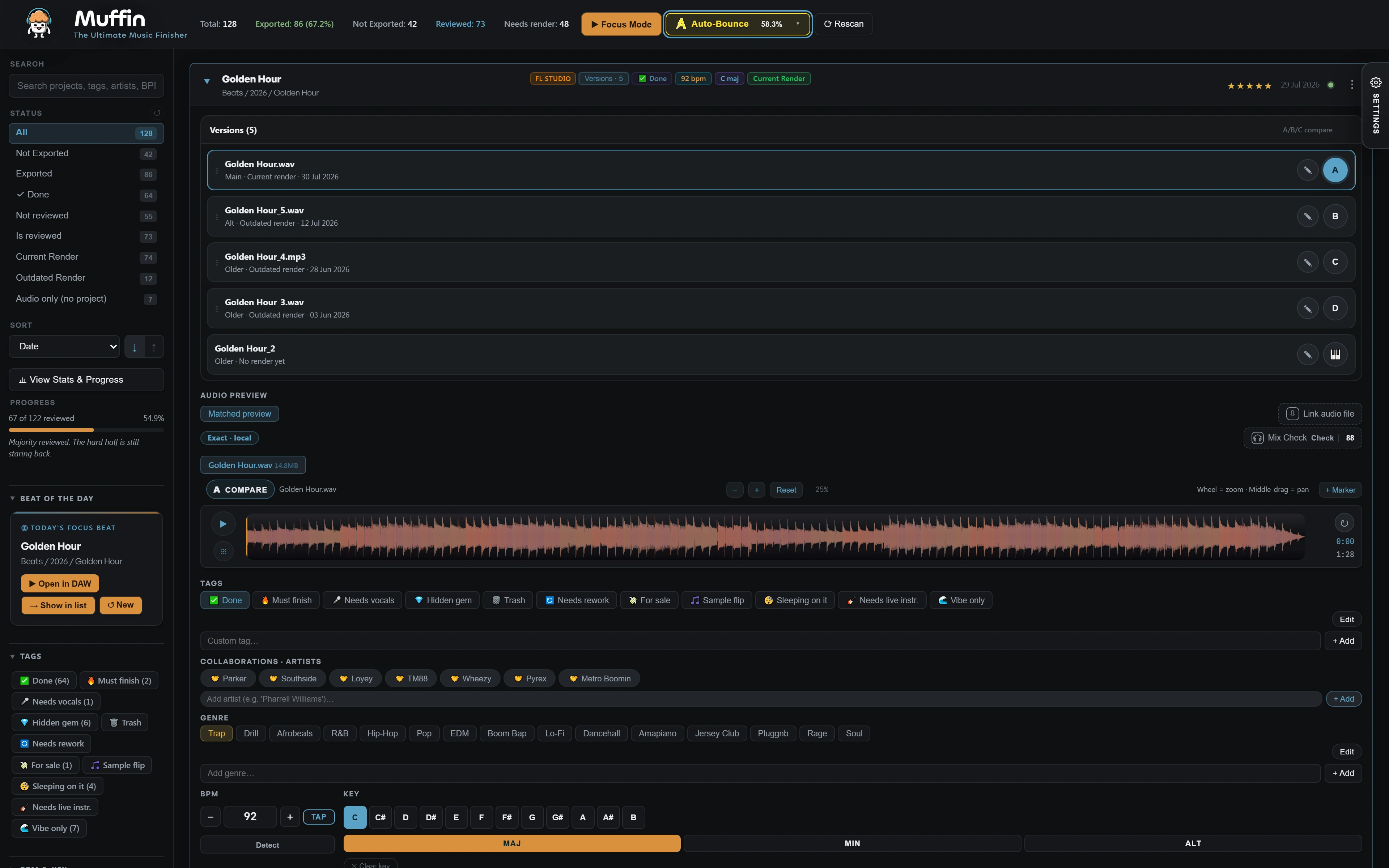
Your folders stay exactly as they are. Muffin puts every project in one catalog where you rate, tag and filter, so you always know which beat to finish next.
Free for 25 projects, no account needed · Windows 10 and 11
A catalog instead of
a pile of files
Rate and tag
Stars, statuses, genres, keys, BPM and your own tags on every project. Add notes where you need them.
Compare versions
Play the A, B, C and D version of a beat back to back and keep the one that works.
Check before upload
Mix Check reads peak, loudness, dynamics and stereo width, and estimates what Spotify, Apple Music and YouTube will do to your track.
Set it up once,
start every session knowing what to do
Scan your folders
Muffin indexes your projects, renders and loose audio into one library.
Rate and tag
Give each beat a status and a rating while you listen through the list.
Filter what matters
Show only unfinished beats with four stars, or every drill beat in one key.
Finish and check
Open the beat, finish it, and run Mix Check before it goes out.
Questions
What is the best way to organize beats?
Keep your folders as they are and organize on top of them. Muffin lists every project with its renders, and you add ratings, statuses, genres, keys, BPM and tags. Then filter on what matters, for example every unfinished beat you rated four stars or higher.
Do I have to rename or move my files?
No. Muffin does not change or move your original project files. Ratings, tags and notes live in Muffin.
Can I compare different versions of a beat?
Yes. Muffin lets you audition matched renders and A/B/C/D versions of a project without opening your DAW.
Which DAWs does it work with?
Muffin's library, playback and Mix Check work with FL Studio, Ableton Live, Cubase, Reaper and Reason projects. Auto-Bounce is for FL Studio only. Muffin is Windows only for now.
Is it free?
Muffin is free forever on 25 projects, with every feature. No account, no card. A one-time license unlocks your whole catalog.
More guides: Find old FL Studio projects · Batch render your FL Studio projects