Batch render your
FL Studio projects
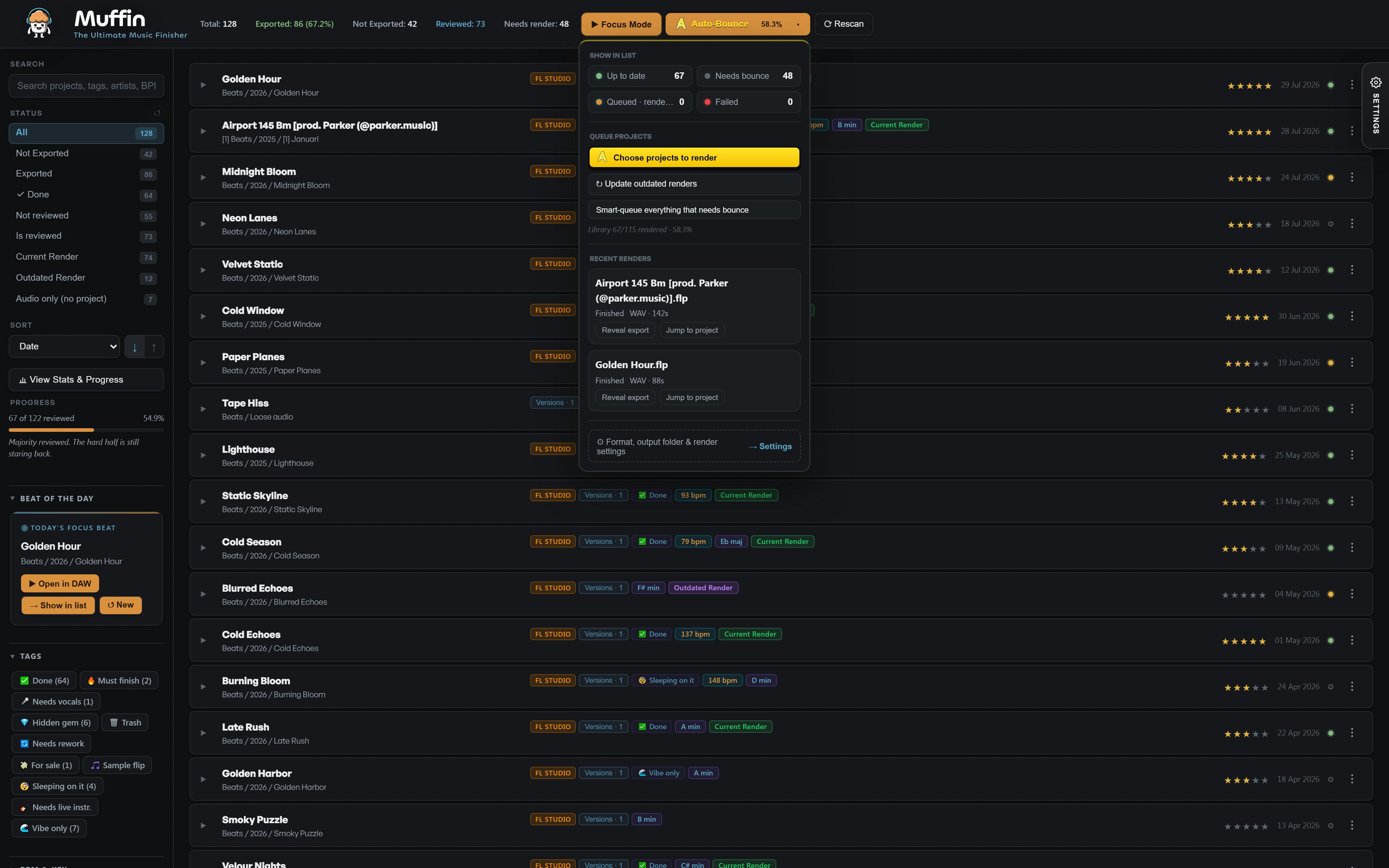
Hundreds of beats you never exported, and the only way to hear one is to open it. Auto-Bounce renders them in the background while you keep working. Then Muffin plays them back like a playlist.
Free for 25 projects, no account needed · FL Studio on Windows 10 and 11
Your best beats are stuck
inside project files
Never exported
Most beats never leave FL Studio. No bounce means no way to hear them without opening the project.
Opening is slow
Loading a whole project just to hear eight bars kills the session, so the folder only grows.
Forgotten ideas
The loops you forgot about are often the ones worth finishing. You just can't find them.
From a folder of .flp files
to a playlist
Point Muffin at your projects
Muffin scans your folders and shows which projects have no render yet.
Pick what to render
One project, a selection, or everything that still needs a bounce.
Keep working
Auto-Bounce renders in the background and shows its progress as it goes.
Listen back
Play your whole backlog like a playlist, rate as you go and open only the best ones.
Changed a project after its last render? Muffin marks the render as outdated, and one click renders all outdated projects again.
Questions
Can I batch render FL Studio projects without opening them?
Yes. With Auto-Bounce you pick the projects and they render in the background. You don't open or click through a single project yourself.
Can I keep working while it renders?
Yes. Auto-Bounce runs in the background and shows its progress in Muffin, so you can keep working in the meantime.
Does Auto-Bounce change my FL Studio projects?
No. Muffin does not change or move your original project files. The renders are new audio files.
Does it work with Ableton, Cubase or on Mac?
Auto-Bounce works with FL Studio projects on Windows 10 and 11. Muffin's library, playback and Mix Check also work with Ableton Live, Cubase, Reaper and Reason projects. Muffin is Windows only for now.
Is it free?
Muffin is free forever on 25 projects, with every feature including Auto-Bounce. No account, no card. A one-time license unlocks your whole catalog.

Hear every beat
you never exported
Free on your first 25 projects. Let Auto-Bounce render them tonight and listen back tomorrow.
Free Download